
Great Deals+ Rewards
Great Deals+ Rewards
Great Deals or Great Deals+?
Both programs help you save, but Great Deals+ gives you more ways to earn and manage your rewards.
Great Deals
Provide your phone number at checkout to receive eligible Great Deals sale prices.
Great Deals pricing does not automatically enroll you in the full Great Deals+ rewards program.
Great Deals+
Register and activate your account with a valid email address to earn points, receive reward coupons, access digital receipts, and enjoy birthday savings.
Already use your phone number at Busy Beaver? Register with that same phone number so your purchases stay connected to the correct account.
Please note: Points cannot be added retroactively for purchases made before a Great Deals account was registered and activated as a Great Deals+ account. Customers begin earning points on eligible purchases after Great Deals+ enrollment is completed and the purchase is connected to the activated account.
How It Works
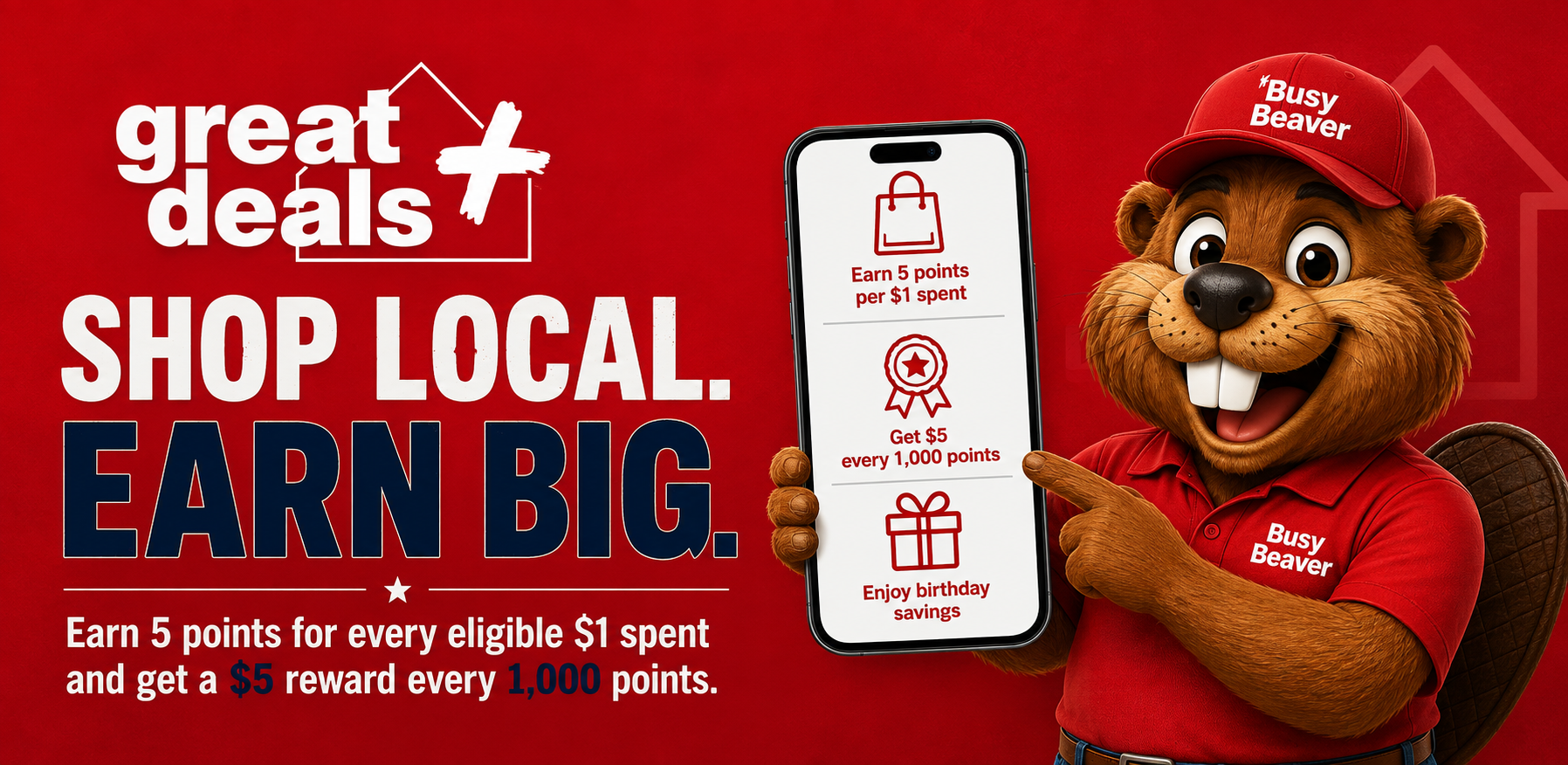
Shopping at Busy Beaver just got more rewarding. Earn points automatically on eligible purchases online or in-store and watch your coupons add up.
Shop Online or In-Store
Earn 5 points for every eligible dollar spent, based on your pre-tax subtotal. Points are applied automatically when you use your Great Deals+ account.
Reach 1,000 Points
Once you reach 1,000 points, a $5 coupon is automatically issued to your Great Deals+ Dashboard. You will receive an email or text notification when it is ready.
Redeem Your Coupons
Print your coupon, show it on your phone, or enter the coupon code during online checkout. Your available coupons remain in your Rewards Dashboard until they are redeemed or expire.
Points = Savings
The more you spend, the more you save. Here is exactly what you earn:
Note: A maximum of $50 in reward coupons may be generated from a single transaction. Any additional eligible points remain in your account and count toward future rewards. Points are not earned on services such as workshop services, delivery, or rental.
Your Great Deals+ Dashboard
Everything you need to manage your rewards, all in one place, accessible from your phone or computer.
Track Your Points
See your current point balance and how close you are to your next reward coupon.
Never Lose a Coupon
All earned coupons appear in your Dashboard. Print them or show them on your phone at checkout.
Digital Receipts
Receive receipts by email or text and access your previous purchase history through your account.
Birthday Month Coupon
Add your birthday month to your profile and receive a yearly 10% OFF coupon for one purchase during that month.
Automatic Points
Points are applied automatically when your Great Deals+ account is connected to your purchase.
Special Savings Alerts
Receive emails about available rewards, exclusive savings, and special promotions.
Take Great Deals+ With You
Use the Great Deals+ app to check your points, view available coupons, access digital receipts, update your profile, and display reward coupons from your phone at checkout.
Before you sign in: You must first sign up for Great Deals+ in-store or online. If you have only provided your phone number at checkout, the app may guide you through the remaining registration steps before opening your rewards dashboard.
In the Apple App Store or Google Play, the app is listed as My Hardware Rewards by Orgill, Inc.
How to Find Your Rewards
Your reward coupons and purchase history are available through your BusyBeaver.com account.
Sign In
Sign in to BusyBeaver.com using the email address connected to your Great Deals+ account.
Open the Rewards Dashboard
Once signed in, open the Rewards Dashboard from your customer account.
View Coupons and Rewards
Select Coupons or Rewards to review your available reward coupons.
Review Your Purchases
Select Receipts or Purchases to view previous in-store and online transactions.
Having trouble? If you cannot access the Rewards Dashboard, believe rewards are missing, or previously had more than one customer account, your account may need to be connected to the correct customer profile. Submit an Account Help Request and our team will review it.
Need Help With Your Great Deals+ Account?
If you are having trouble accessing your account, connecting an existing account, finding a coupon, correcting your information, or receiving points from a recent purchase, complete our Account Help Request form. Our team will review your information and help resolve the issue.
Request Account HelpFrequently Asked Questions
How Do I Sign Up?
You can sign up in-store or online, and it is free. Provide your name, phone number, and email address. After signing up, check your email or text messages for an account activation link. Be sure to use the same phone number and email address every time you shop so your purchases are connected to the correct account. Landline numbers may be used but cannot receive text messages.
Who Can Join?
All Busy Beaver customers are encouraged to join. You must be 18 years old or older and have a valid email address. The program is for individuals only, and Commercial Sales customers are not eligible.
How Do I Access My Rewards Dashboard?
Sign in to BusyBeaver.com using the email address connected to your Great Deals+ account. Open the Rewards Dashboard and select Coupons or Rewards to view available coupons. Select Receipts or Purchases to review previous transactions.
How Do I Redeem My Coupons?
Coupons can be redeemed in-store or online:
- In-store: Print your coupon or display it on your mobile phone at checkout.
- Online: Enter the coupon code during checkout.
When Do Points and Coupons Expire?
Your points do not have an expiration date. Coupons expire depending on the coupon type:
- The $5 signup coupon expires 60 days after it is issued.
- Point-earned coupons expire 30 days after they are issued.
- Birthday coupons expire at the end of your birthday month .
The expiration date appears on each coupon in your Rewards Dashboard.
Can Points Be Added for Purchases Made Before I Joined Great Deals+?
No. Points cannot be added retroactively for purchases made before your Great Deals account was registered and activated as a Great Deals+ account. Use the same phone number and email address in-store and online after enrollment so future eligible purchases are connected correctly.
What If I Am Missing Points?
Please allow 24 to 48 hours after your purchase for points to appear in your Dashboard. If your points are still missing after that time, submit an Account Help Request so our team can review your account and purchase information.
Can I Earn Points When Shopping Online as a Guest?
No. Points are only earned when an online purchase is completed while signed in to your Great Deals+ account.
How Do I Get My Birthday Coupon?
Sign in to your Rewards Dashboard, open your profile, and add your birthday month. On the first day of your birthday month, you will receive a yearly coupon for 10% off one purchase during that month.
How Will You Use the Information I Provide?
Personal information collected through Great Deals and Great Deals+ is subject to our Privacy Policy .